Avoid ‘Super Boring Sunday': Make Your Home Theater Game-Day Ready
5 Tips to Host the Ultimate NFL Viewing Party
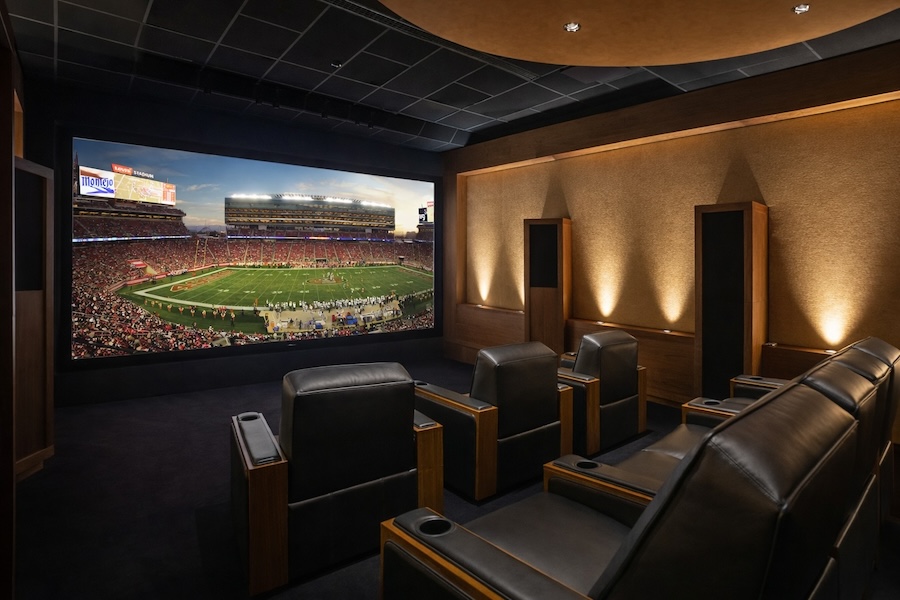
When people leave your game day party, you want them to remark, “That was fun,” to each other as they step into their cars. Not “That was a little awkward,” or “Let’s just stay home next year.”
No way—we can’t let that happen! Of course, you’ll need tasty snacks and drinks, but as for the game-watching experience itself? Here are our tried-and-true home theater tips for your next football party.
1. Light the Room for People, Not the Screen
A pitch-black theater looks great on paper. In real life, guests need to see their drink, find a seat, and not step on a footrest. The fix is layered lighting with intelligent, customizable control.
Start with dimmable recessed lighting on its own zone. Add pathway lights (such as steps, toe-kicks, or low-level sconces) to keep the room navigable. Then add a “task” layer in the places people actually use, such as pendants over a bar, angled track lighting, or a small fixture near swivel-out tables. Keep that task lighting aimed down and away from the screen.
Want a fun touch? Color-tunable LEDs work well when they’re used with restraint: team colors during kickoff, warm neutral during halftime, then back to your normal scene after the game.
2. Kill Glare On Command with Automated Shades
Utah sunsets are beautiful. They also turn into a laser beam across your display right when the game starts.
Automated shades give you a clear viewing every time. One button press (or a scheduled scene) can lower blackout shades on the windows that matter most, while leaving other areas comfortable and bright for guests. The payoff isn’t limited to game day either. Motorized shades can protect furnishings from UV fading, improve privacy, and help manage heat gain in the afternoon.
If you use a projector, take it a step further: a motorized screen can disappear into the ceiling when you’re not watching, then lower as part of a “Game Day” scene.
3. Make Dialog Crystal Clear Without Blasting the Room
When people say, “I can’t hear the announcer,” they usually turn the volume up. That works until booming commercials and music overpower the room. Surround sound solves this problem in a smarter way: it spreads sound around the room so you hear detail at a comfortable level.
A good sports setup leans on a strong center channel (that’s where voices live) and surrounds that add crowd energy without overpowering. In-wall and in-ceiling speakers keep your room uncluttered and protect your investment when you have guests moving around with drinks in hand. Nobody wants a beautiful speaker knocked over during a touchdown celebration.
Speaker placement matters, too. Surrounds typically land slightly behind the main seats, and the center channel needs a clear path to the listening area—no cabinets or decorative grilles that muffle it.
4. Keep Motion Smooth With the Right Video Chain
Sports punish weak video processing. A TV that looks fine for Netflix can struggle with fast pans across the field.
A practical benchmark for premium sports viewing is a display that supports 120Hz and a system that can actually deliver it end-to-end. That includes the source device, the AVR/processor, the switcher (if you have one), and the cabling. One outdated link can quietly cap performance.
If you stream your games, your network becomes part of the theater. A strong setup usually includes hardwired connections for key devices (streamer, receiver/processor) and Wi-Fi designed for real-world use, not a single router in a closet. We can help build a network that supports your home theater and the rest of your home’s devices.
5. Let the Game Follow Your Guests Through the House
Great hosting means nobody misses the big play when they step out for a refill.
Distributed audio and video solve that in a clean, luxury-appropriate way. You can keep the main theater experience intact while sharing the same game to other TVs, projectors, and speakers throughout the home—kitchen, bar, patio, or game room. The key is synchronization. If the audio in the kitchen lags behind the theater, people notice immediately.
Done right, it feels like one system: select the game once through your smart home app or remote, then decide where you want it without “which input is this?” confusion.
Quick Game-Day Checklist
- Build two lighting scenes: Game (low glare) and Halftime (brighter, warmer)
- Add a one-touch shade preset for the windows that cause glare in the afternoon
- Prioritize clear dialog: center channel placement and calibration matter
- Confirm your display and equipment support smooth motion (120Hz-capable chain)
- Hardwire key theater gear so the stream stays stable when the house is busy
See It in Person at Lynn’s Showroom
If you’re planning a renovation or a new build, it helps to experience control and performance in real rooms, not on a spec sheet. Lynn’s Audio Video has a 10,000 sq. ft. showroom experience space with two theater rooms, TV displays, an audio room, lighting and shading displays, plus Control4 examples including surveillance, keypads, and touch screens.
Bring a few inspirational photos or even a list of what annoys you about your current setup. We’ll help you sort out priorities and plan upgrades that look clean, operate smoothly, and hold up for everyday living—the big game included.
Contact Lynn’s Audio Video for a free home theater consultation today!
